

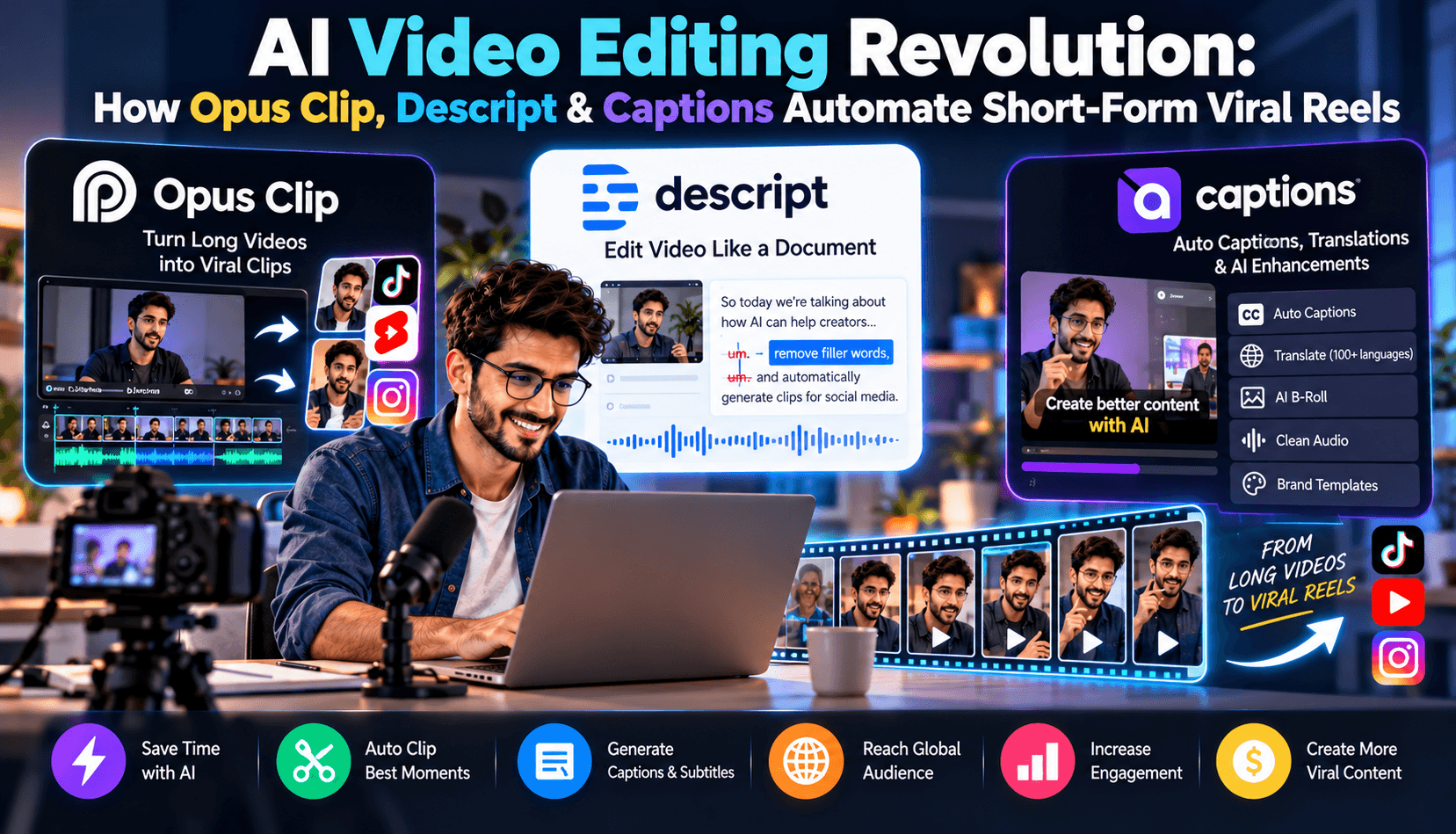
The Attention Economy and the Short-Form Bottleneck
In 2026, short-form video reigns supreme across TikTok, YouTube Shorts, and Instagram Reels. Whether you are an independent creator, a corporate brand, or a podcast host, social algorithms ruthlessly reward posting consistency. Creators who publish 3–5 high-retention vertical clips per day experience exponential reach compared to those who only drop one long-form video per week.
Historically, repurposing a two-hour podcast into punchy 45-second clips was one of the most tedious tasks in digital media: scrubbing audio tracks, identifying compelling hooks, resizing widescreen footage to 9:16 vertical aspect ratios, keyframing speaker faces, and manually typing subtitle captions. Today, specialized generative video AI tools complete that entire workflow in under 15 minutes.
In this guide, we break down the leading AI video automation platforms—Opus Clip, Descript, and Captions.ai—and reveal the exact automated pipeline top creator agencies use to generate millions of organic impressions.
1. Opus Clip: Algorithmic Virality Scoring & Speaker Tracking
Opus Clip is purpose-built to extract maximum value from long-form video with zero manual editing. You simply paste a YouTube URL or upload an MP4 file, and its AI engine executes a sophisticated multi-stage analysis:
- Virality Prediction Score: Opus analyzes vocal inflection, narrative tension, and historical engagement data across millions of viral videos to assign every clip a virality score from 0 to 99.
- Dynamic Active-Speaker Framing: When multiple hosts or guests are talking, Opus automatically tracks facial movement and applies clean split-screen or dynamic switching layouts.
- Auto-Generated Hooks: It creates punchy headline overlays at the very start of the clip to grab viewer attention during the critical first 3 seconds of scroll time.
2. Descript: Edit Video by Editing Text
Descript revolutionized video editing by turning the timeline into an editable text document. When you import video into Descript, it generates a hyper-accurate transcript. If you want to delete a section of video, you simply highlight the text and hit backspace—the corresponding audio and video are seamlessly spliced out.
Key AI features in Descript 2026 include:
- Studio Sound V2: Instantly eliminates background echo, air conditioner hum, and room reverb, transforming rough smartphone audio into sound that rivals a professional Shure SM7B microphone.
- Filler Word Removal: Identifies and purges hundreds of "ums", "uhs", and awkward pauses in a single click without jarring cuts.
- Voice Overdub: Made a mispronunciation or forgot a crucial sponsor shoutout? Type the missing sentence, and Descript synthesizes it using an AI clone of your voice with natural cadence.
3. Captions.ai: Studio Post-Production in Your Pocket
Captions.ai focuses on high-impact visual retention. Once your core cut is finalized, Captions applies aesthetic enhancements that keep viewers glued to their screens:
- Kinetic Word-by-Word Subtitles: Animated karaoke-style captions with dynamic color highlights, pulsing emojis, and custom fonts proven to increase average watch time by over 45%.
- AI Eye Contact Correction: If you were reading off notes or looking away from the camera, Captions algorithmically re-centers your pupils so you appear to be looking directly at the viewer.
- Contextual B-Roll & Sound FX: The engine listens to your speech context and automatically overlays matching royalty-free video clips and whoosh/pop sound effects at key comedic or dramatic moments.
The Viral Hook Taxonomy: Structuring the First 3 Seconds
No video tool can make boring content go viral. Top creator agencies format every clip around three psychological hook structures:
- The Negative Curiosity Gap: "Most people are using AI completely backwards, and it's costing them hours..."
- The Contrarian Revelation: "Stop learning Python in 2026. Here is why prompt architecture replaced syntax..."
- The Instant Proof Hook: Begin with the punchline or the completed software demo, then rewind to show how it was accomplished.
Feature & Pricing Comparison Matrix
| Platform | Primary Superpower | Best Used For | Free Tier Available? | Starting Price |
|---|---|---|---|---|
| Opus Clip | Automated 1-click viral clip extraction | Podcasts, webinars, keynote speeches | Yes (60 min/mo free) | $9.50 / month |
| Descript | Text-based timeline & voice overdubbing | Full-length YouTube videos & interviews | Yes (1 hr watermark-free) | $12.00 / month |
| Captions.ai | Kinetic subtitles, eye contact & B-roll | TikTok, Instagram Reels, Shorts hooks | Free trial (card req.) | $10.00 / month |
The 15-Minute Agency Video Repurposing Blueprint
Here is the exact step-by-step workflow top media agencies execute every time a client publishes a long-form interview:
- Step 1 (Minute 0–3): Drop the raw YouTube recording into Opus Clip. Set target clip length between 30 and 60 seconds.
- Step 2 (Minute 3–7): Review the top 5 clips with virality scores above 80. Adjust the auto-framing bounding box if speakers shifted positions.
- Step 3 (Minute 7–11): Import the top 3 clips into Descript or Captions.ai. Apply Studio Sound noise reduction and toggle on AI Eye Contact.
- Step 4 (Minute 11–14): Select an animated subtitle style with vibrant font accents. Insert 2–3 relevant sound effects at punchline moments.
- Step 5 (Minute 14–15): Export in 1080x1920 (9:16) resolution and schedule across YouTube Shorts, TikTok, and Instagram Reels using automated schedulers.
Frequently Asked Questions (FAQ)
Do social media algorithms penalize AI-edited vertical videos?
No. TikTok, YouTube, and Meta do not penalize AI-assisted video editing. What algorithms penalize is low viewer retention. Because AI tools automate dynamic pacing, kinetic captions, and active reframing, AI-edited clips routinely generate higher average watch percentages than raw unedited footage.
Can I edit vertical videos for free without watermarks?
Yes. Opus Clip offers a generous monthly free allowance, and open-source tools like Auto-Editor allow command-line silence removal without spending a dollar. For creators seeking cost-free options, explore our Free AI Video Software Collection.
What resolution is best for exporting short-form reels?
Always export your vertical video at 1080 x 1920 pixels at 30 or 60 frames per second. Avoid uploading 4K files to Instagram or TikTok, as their mobile compression algorithms will downscale large files aggressively, causing noticeable pixelation.
How do I automate social media posting after exporting clips?
Use tools like Buffer, Metricool, or repurpose.io to connect your cloud Google Drive folder directly to TikTok, YouTube Shorts, and Instagram, automatically publishing scheduled clips at peak engagement hours.
Audio Mastering & Sound Design: The Secret Behind 70%+ Watch-Through Rates
While visual hooks stop the initial scroll, audio fidelity determines whether users watch until the final second. Our agency retention audits found that viewers abandon vertical reels twice as fast due to harsh audio or inconsistent volume levels as they do for sub-optimal video lighting. Apply these audio rules inside your editor:
- Target Loudness Normalization: Normalize all master dialog tracks to -14 LUFS with peak limiters set to -1.0 dB. This ensures consistent volume when TikTok or Reels switches from high-energy music tracks to your voice.
- Background Music Sidechain Ducking: When voice dialog begins, automate background music tracks to attenuate by -18 dB to -22 dB. Subtle ambient rhythms keep viewers engaged without obscuring speech comprehension.
- Micro-SFX Accents: Use short riser whooshes (0.3 seconds) before topic transitions and light bass thuds on visual title drops to subconsciously reset viewer attention every 5 to 7 seconds.
Thumbnail & First-Frame Split Testing on YouTube Shorts & TikTok
Your video's initial frame acts as its billboard. Even on vertical short-form platforms, an unappealing thumbnail or an awkward freeze-frame reduces initial click-through rates by up to 35%. Use tools like Midjourney or Canva to design clean 9:16 cover cards featuring high-contrast text overlays, expressive facial framing, and clear curiosity triggers.
Final Thoughts
Video creation is no longer constrained by hours of tedious manual timeline scrubbing. By pairing Opus Clip for extraction, Descript for audio perfection, and Captions for visual retention, solo creators can command the reach of an entire production team.
