

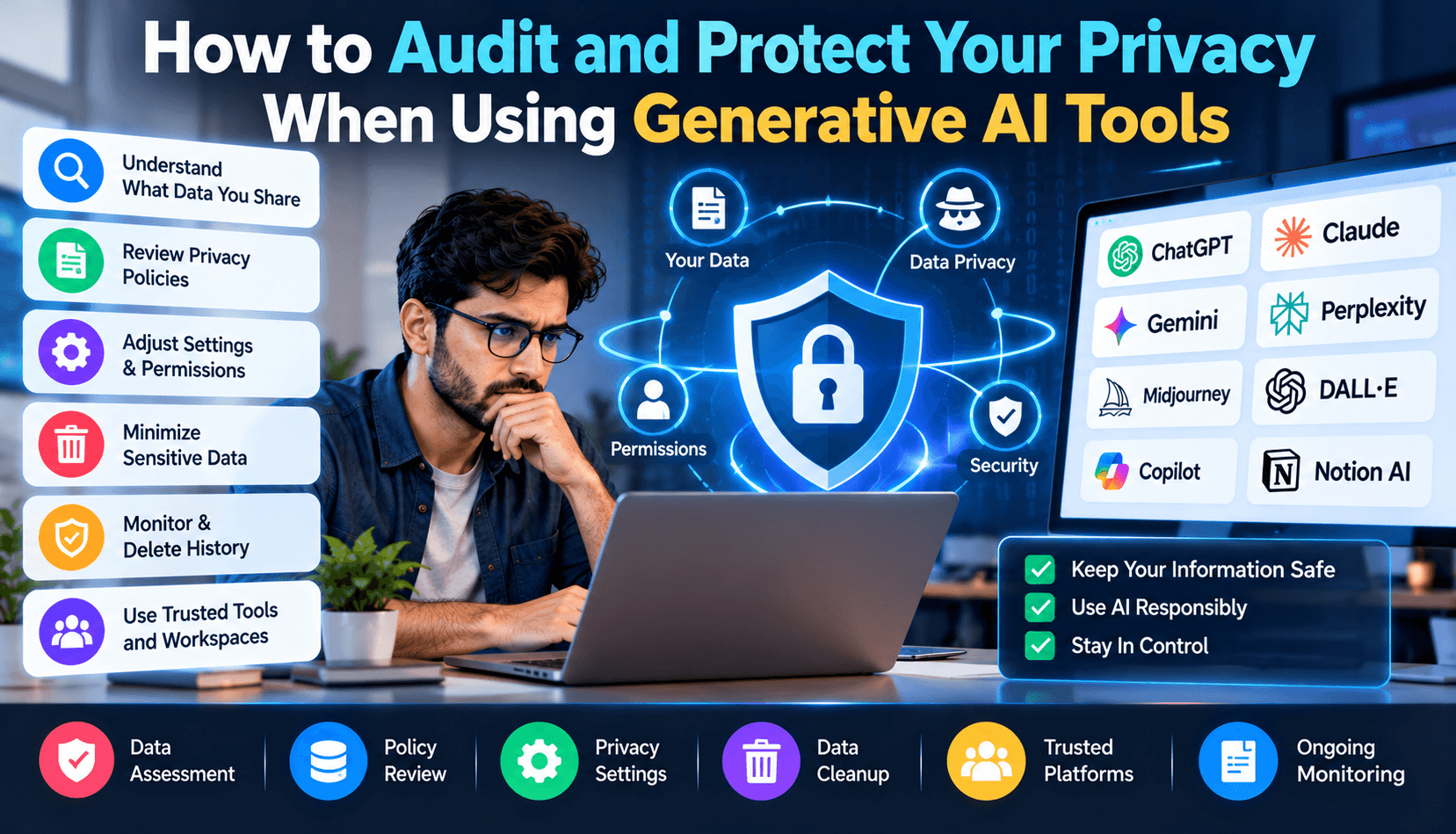
The Invisible Security Nightmare of Conversational AI
Over the past four years, artificial intelligence co-pilots became ubiquitous across enterprise cubicles and home offices alike. Millions of employees copy-paste text into ChatGPT, Claude, and Copilot every single minute: drafting sensitive customer communications, debugging backend database queries, analyzing executive financial forecasts, and summarizing confidential partnership agreements.
However, few users stop to consider the destination of those data payloads. When you paste text into a cloud-hosted LLM, where is it stored? Who has access to inspect it? And crucially—will your proprietary intellectual property be ingested to train the next public model generation?
In 2026, enterprise security audits revealed that over 11% of corporate employees had inadvertently leaked sensitive business secrets—including proprietary API keys, HIPAA-protected patient notes, and unreleased product roadmaps—into public commercial AI chat interfaces.
This comprehensive guide details how to audit your AI tools, toggle crucial privacy opt-outs, and deploy local client-side sanitization to keep your confidential data bulletproof.
How Commercial AI Training Pipelines Ingest Customer Prompts
To understand the risk, you must understand how foundation models are trained. Frontier AI labs constantly scour for high-quality conversational data to refine subsequent iterations using Reinforcement Learning from Human Feedback (RLHF). By default, on free consumer accounts, your prompt inputs and model outputs are logged, stored on cloud servers, and reviewed by human annotators.
If an engineer pastes an internal authentication algorithm into a public chat interface to fix a syntax error, that logic could theoretically be regurgitated months later when an external competitor asks a related architectural question.
Platform-by-Platform Privacy Audit Checklist
1. OpenAI (ChatGPT Free, Plus, Team & Enterprise)
- Consumer Accounts (Free & Plus): Navigate to Settings → Data Controls. Turn off the toggle labeled "Improve the model for everyone". When disabled, your conversations will not be used to train future OpenAI foundation models.
- OpenAI Commercial APIs: Under OpenAI's official business terms of service, data submitted via paid API endpoints (such as api.openai.com) is never used for training by default.
- Zero Data Retention (ZDR): Enterprise clients in regulated industries (healthcare, finance) can apply for ZDR agreements where endpoints maintain zero prompt persistence.
2. Anthropic (Claude Free, Pro & Team)
- Anthropic maintains some of the strictest enterprise compliance standards in the industry. For paid Team and Enterprise tiers, customer data is never used to train frontier models.
- On free and consumer Pro tiers, review your privacy preferences in account settings to verify data training opt-out status.
3. Microsoft Copilot & GitHub Copilot
- When using GitHub Copilot for code completion, enterprise administrators must explicitly verify that the setting "Allow GitHub to use my code snippets for product improvements" is set to Blocked.
Client-Side Token Redaction & Synthetic PII Sanitization
Rather than trusting third-party privacy policies, the safest strategy is to sanitize your data before it ever leaves your machine. This practice, known as token redaction, substitutes sensitive identifiers with synthetic variables:
// Sample Python Client-Side PII Sanitizer Before Calling LLM API import re def sanitize_prompt(text: str) -> str: # 1. Mask IPv4 Addresses text = re.sub(r'\b\d{1,3}\.\d{1,3}\.\d{1,3}\.\d{1,3}\b', '[REDACTED_IP]', text) # 2. Mask API Keys / Tokens (AWS, OpenAI, Stripe) text = re.sub(r'(sk-[a-zA-Z0-9]{32,}|AKIA[0-9A-Z]{16})', '[REDACTED_SECRET]', text) # 3. Mask Email Addresses text = re.sub(r'[a-zA-Z0-9._%+-]+@[a-zA-Z0-9.-]+\.[a-zA-Z]{2,}', 'user@example.com', text) # 4. Mask Credit Card Numbers text = re.sub(r'\b(?:\d{4}[ -]?){3}\d{4}\b', '[REDACTED_CC]', text) return text
You can automate this using lightweight local proxy extensions that intercept outgoing clipboard payloads and strip credit card numbers, social security identifiers, and API tokens automatically.
Private Local RAG: Searching Documents Without Cloud Exposure
If you need an AI assistant to analyze thousands of internal corporate PDFs, spreadsheets, and legal agreements, avoid uploading them to third-party cloud vector stores. Instead, build a Local RAG (Retrieval-Augmented Generation) pipeline on your local intranet:
- Use a local embedding model (such as bge-small-en-v1.5 running in Ollama) to convert documents into numerical vectors on your local CPU.
- Store the embeddings in a local SQLite vector database.
- When a team member asks a question, query the local database and pass the retrieved context to an open-source model running on your local server. Zero bytes ever cross the public internet.
Compliance with European AI Act & GDPR Regulations
Under the European Union's AI Act enforced in 2026, companies deploying generative models face severe fines (up to €35 million or 7% of global annual turnover) for unvetted handling of personal biometric data or automated discrimination. Ensuring that customer PII is permanently stripped before AI ingestion is no longer just good practice—it is a strict legal requirement across 27 EU member states.
Privacy Comparison Across Leading AI Providers
| Provider / Tier | Default Trained on Prompts? | Opt-Out Toggle Available? | SOC-2 Type II Certified? | Data Encryption in Transit/Rest |
|---|---|---|---|---|
| ChatGPT Free / Plus | Yes (Default ON) | Yes (In Settings) | Yes | TLS 1.3 / AES-256 |
| OpenAI API / Enterprise | No (Zero Training) | Guaranteed by Contract | Yes | TLS 1.3 / AES-256 |
| Claude Enterprise / API | No (Zero Training) | Guaranteed by Contract | Yes | TLS 1.3 / AES-256 |
| Local Models (Ollama) | Never (100% Offline) | N/A (Sovereign Hardware) | Air-Gapped Compatible | Local Storage Only |
Frequently Asked Questions (FAQ)
Does using "Incognito" or Private Browsing protect my data in ChatGPT?
No. Private Browsing only prevents your local browser from storing cookies and history. It does not alter how OpenAI or Anthropic servers log, process, and retain the prompts submitted across the network connection.
Can human reviewers at AI companies read my conversations?
Yes. If you have data sharing enabled, sampled conversations are reviewed by internal data annotators to evaluate safety filters, eliminate bias, and assess response accuracy.
What should I do if an employee accidentally pasted an API key into an AI chat?
Immediately revoke the compromised API key and rotate all associated access credentials in your cloud console. Treat any secret pasted into a third-party chat interface as publicly disclosed.
Are open-source models completely exempt from external logging?
Yes, as long as you execute them locally via Ollama, LM Studio, or llama.cpp. However, if you access open-source models through hosted cloud API wrappers, you are subject to the third-party provider's data logging policies.
Conclusion: Establishing a Clean Security Culture
Generative AI is the greatest productivity multiplier of our generation, but speed should never come at the expense of security. By enforcing client-side redaction, opting out of commercial training sets, and utilizing local open-source models for sensitive documents, you can safely harness AI superpowers without compromising proprietary intellectual property.
